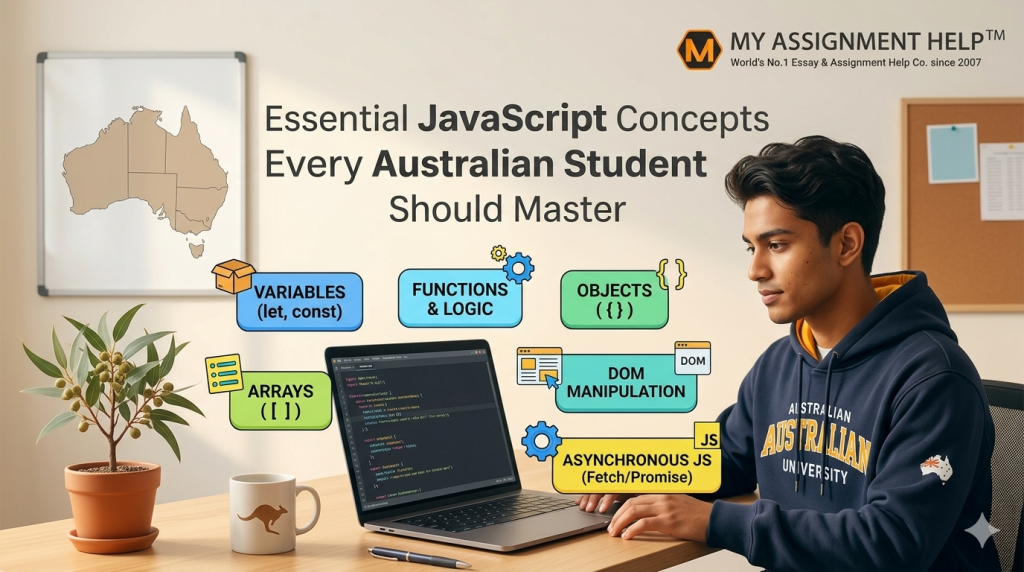
The Australian tech sector is experiencing an unprecedented evolution. According to the Australian Computer Society (ACS) Digital Pulse report, Australia requires over 1.3 million tech workers by 2030 to sustain its burgeoning digital economy. At the epicenter of this demand is web development, where JavaScript remains the undisputed king. For tertiary students pursuing Bachelor of Computer Science or Software Engineering degrees at premier institutions like the University of Sydney, UNSW, or the University of Melbourne, mastering JavaScript is no longer optional—it is the baseline for career survivability.
Navigating the transition from basic HTML structures to dynamic scripting can be notoriously difficult. University curricula often fast-track theory, leaving students overwhelmed by complex asynchronous frameworks and strict execution contexts. When academic stress peaks amidst strict project deadlines, turning to professional engineering mentors for javascript assignment help provides the clarity needed to balance robust debugging practices with top-tier academic performance.
To establish true proficiency, students must move past surface-level syntax and explore the architectural mechanics of the language. This exhaustive guide breaks down the structural, asynchronous, and execution-based JavaScript concepts required to ace university assessments and thrive in the competitive domestic tech market. Whether you are building an interactive web application or struggling to meet an assessment deadline, knowing where to access expert support or deciding to trust specialists to do my assignment can drastically accelerate your technical mastery.
1. The JavaScript Execution Context and Call Stack
Before writing a single line of production code, an Australian tech student must understand how the browser interprets JavaScript. Unlike compiled languages like C++ or Java, JavaScript is an interpreted, single-threaded language. This means it executes one command at a time within a single path called the Call Stack.
Every time a script runs, the JavaScript engine creates an Execution Context. This environment handles the transformation of code from source characters to functional execution. It consists of two primary phases:
- Memory Creation Phase: The engine scans the code, setting aside memory allocation spaces for variables and functions. Variables are initialized as undefined, while functions are stored in their entirety. This behavior is what developers call hoisting.
- Execution Phase: Code runs line by line. Variables are assigned their true values, and functions are executed.
JavaScript
// Understanding Hoisting and Context
console.log(uniCampus); // Outputs: undefined due to hoisting
var uniCampus = “RMIT Melbourne”;
printCourse(); // Outputs: “Welcome to Advanced Web Development”
function printCourse() {
console.log(“Welcome to Advanced Web Development”);
}
When a function is called, a new execution context is layered on top of the Call Stack. Once the function resolves, it is popped off the stack, and control returns to the underlying layer. Mismanaging this process leads to stack overflow errors, a frequent structural flaw in student project designs.
2. Scope, Closures, and Lexical Environments
Scope dictates variable visibility throughout code segments. Modern JavaScript (ES6+) uses three distinct scopes: Global, Function, and Block scope (managed via let and const). Understanding lexical scope—where inner functions maintain access to the variables defined in their parent environments—is vital for passing university code reviews.
A Closure occurs when a function remembers and accesses its lexical scope even when executed outside that initial context. Closures form the foundation of design patterns like data encapsulation, allowing developers to create private state variables.
JavaScript
function createStudentEnrolment(studentName) {
let courses = []; // Private state variable
return {
addCourse: function(courseCode) {
courses.push(courseCode);
console.log(`${studentName} enrolled in ${courseCode}`);
},
viewCourses: function() {
return courses;
}
};
}
const student1 = createStudentEnrolment(“Lachlan”);
student1.addCourse(“COSC1122”); // Tracks variable within the closure
3. The Asynchronous Event Loop, Promises, and Async/Await
Modern applications depend on asynchronous operations, such as pulling dataset feeds from the Australian Bureau of Statistics (ABS) API or fetching real-time transport coordinates from the Transport for NSW data portal. Because JavaScript is single-threaded, stalling the main execution thread for network responses would freeze the user interface entirely.
The Event Loop solves this by offloading time-intensive tasks to Web APIs (like fetch() or setTimeout()). Once complete, these operations move to a Callback or Microtask Queue. The Event Loop continuously monitors the main Call Stack; the moment that stack clears, it moves queued operations back up to run.
Data Insights: Academic Performance vs. Industry JavaScript Skills
| Core JavaScript Concept | Academic Assessment Weighting | Industry Relevance (ACS Digital Pulse) | Common Student Failure Rate |
| Execution Context & Hoisting | 15% – Mid-term Exams | High (Debugging Optimization) | 42% (Variable Scope Collisions) |
| Closures & Scope Modules | 25% – Practical Labs | Critical (State Management) | 35% (Memory Leak Issues) |
| Asynchronous & Event Loop | 35% – Final Group Project | Vital (API Integration / Full Stack) | 58% (Unhandled Promise Rejections) |
| DOM Manipulation & Events | 25% – Frontend Assessments | Medium (UI/UX Engineering) | 22% (Event Bubbling Errors) |
To write readable asynchronous code, students must transition from historic, deeply-nested callback chains (“callback hell”) to modern Promises and the structured syntax of Async/Await. This design style guarantees cleaner code formatting and straightforward error isolation via try/catch wrappers.
JavaScript
// Fetching data cleanly using Async/Await
async function getGradeData() {
try {
let response = await fetch(‘https://api.data.gov.au/student-stats’);
if (!response.ok) throw new Error(‘Network response failed’);
let data = await response.json();
console.log(“Data processing complete:”, data);
} catch (error) {
console.error(“Graceful error handling applied:”, error.message);
}
}
4. Prototypes and Prototypical Inheritance
Unlike languages like C# or Java that use classical class-based inheritance structures, JavaScript functions via Prototypical Inheritance. Every object contains an internal reference link pointing to another object, called its prototype. This system allows objects to share functional methods and properties across instances without needing to recreate those structures in memory.
While ES6 introduced the class keyword, this abstraction is merely “syntactic sugar” laid over JavaScript’s existing prototypical architecture. University exams frequently test this distinction to verify that students understand how memory optimizations occur beneath the framework interface.
Key Takeaways for Australian Computing Students
- Isolate JavaScript Execution Internals: Never guess how variables populate; trace your execution paths through active memory creation phases.
- Embrace Block Scoping Rules: Retire old var patterns to eliminate variable leaks and protect application state integrity.
- Write Defensive Asynchronous Code: Always pair every async/await structure with explicit try/catch blocks to mitigate runtime crashes.
- Leverage Professional Engineering Mentorship: If conceptual gaps block your development progress, engage verified technical help early to meet university deadlines without sacrificing code quality.
Frequently Asked Questions (FAQs)
1. Why is JavaScript prioritized over Python in many Australian web engineering tracks?
While Python dominates data science streams, JavaScript is the exclusive execution language natively supported by web browsers. It runs seamlessly across client and server architectures (via Node.js), rendering it an essential skill for full-stack engineering roles.
2. How can I safely handle unhandled promise rejections in my web assignments?
Always wrap asynchronous expressions within standard try/catch blocks, or chain explicit .catch() event listeners to Promise lines. This practice keeps your code reliable and prevents browser runtime terminations.
3. What is the practical difference between standard equality (==) and strict equality (===)?
Standard equality (==) performs automatic type conversion before evaluating values, which can lead to unpredictable behavior. Strict equality (===) requires matching data types alongside identical values, making it the industry standard for defensive software engineering.
About the Author
Senior Technical Curriculum Analyst & Academic Mentor at myassignmenthelp.com
Mark is a seasoned enterprise full-stack engineer and computer science curriculum consultant holding over a decade of industry development experience. Specializing in JavaScript engine performance metrics, cloud microservice integrations, and agile application design patterns, they lead specialized academic interventions. Through deep mentoring partnerships at myassignmenthelp.com, they help Australian engineering students turn dense, abstract programming theory into clean, robust production code.
References and Data Sources
- Australian Computer Society (ACS). (2025). Digital Pulse Report: Building Australia’s Future-Ready Tech Workforce. Sydney: ACS Publications.
- Ecma International. (2024). ECMAScript® 2024 Language Specification. Retrieved from https://www.ecma-international.org/
- Mozilla Developer Network (MDN) Web Docs. (2026). JavaScript Guide: Closures, Event Loop, and Asynchronous Handling. Retrieved from https://developer.mozilla.org/

